Development Request Process
1. Collect requirements of the work. Consider where applicable:
Design (ex. appearance and location of a requested feature)
Data (ex. inputs/outputs, how the data is sourced)
Relevant clinical formulas (ex. for scores)
Pathway Construction: if a new pathway is needed: Pathway Construction Template
2. Go to the Development Request Form to submit info regarding this request and upload all necessary files.
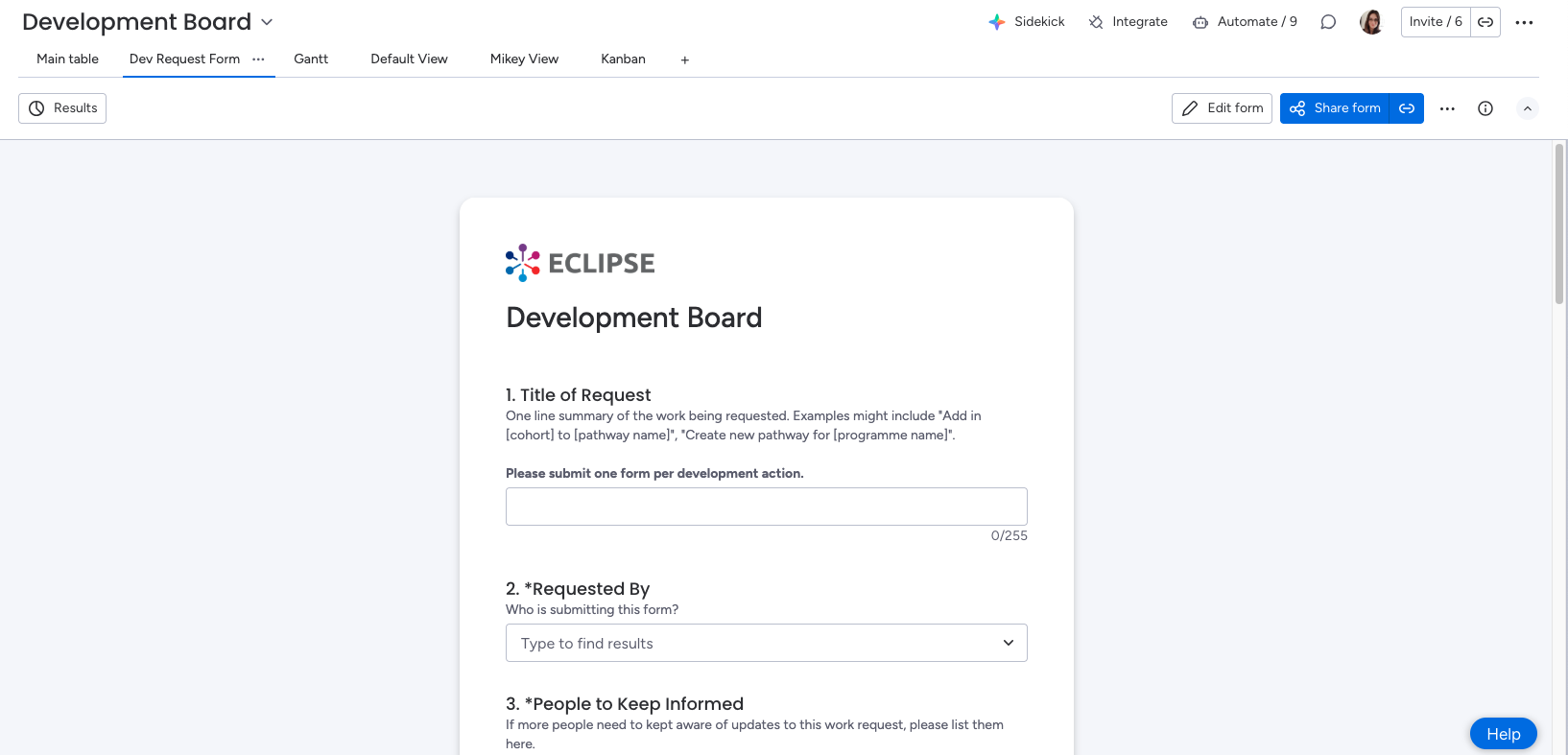
a. Title of Request - a brief summary of the requested work. It should reflect one deliverable development action.
b. Requested By - name of person submitting request
c. People to Keep Informed - other people who need to be updated about the request apart from the submitter.
d. Region and Programme name - Programme and location of the programme.
e. Date Requested - Date the form was submitted
f. Deadline - If a deadline has been discussed, the date may be entered on the form
g. Requester priority - Importance from the perspective of programme lead. Informs planning review prioritisation.
h. Reason for work - a list providing brief labels for the core reason behind the request.
i. Background/Description - a long text field for the requester to provide all known details about context and specifications surrounding the development request.
j. Supporting Documents and Images - a space to enable to upload supporting material that informs the request.
k. Submit/Save Draft - The form allows you to save and return or submit to the Development Board. If you would like to add or change information to a submission after sending the form, you can find it under the “Title of Request” name. You can then edit cells as you would on a spreadsheet, or make notes and upload supplementary material in the updates area of the item.
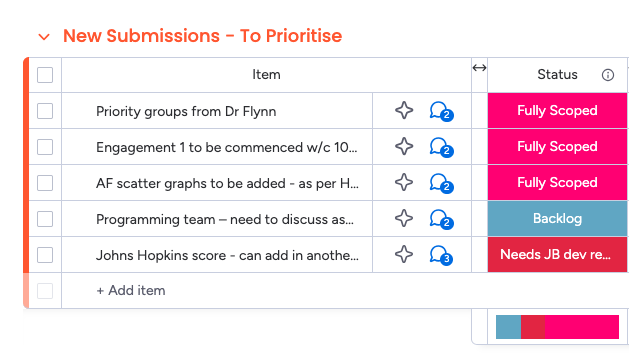
3. After the form is submitted, the request is pre-reviewed for completion ahead of the planning meeting. If there are any lingering questions, the requester will be notfied with them on the Monday item.
4. Once the item is determined to be fully scoped after the initial read-through, it can be discussed at a planning meeting. Planning meetings are held at [EVERY ____ ]
5. At a planning meeting, the request is formally prioritised, estimated, and reviewed for full understanding. Once work is planned on an item, the requester and anyone else who has been nominated for updates will be notified via Monday.com. Any remaining development requestions will be sent to the requester on the Monday item.
6. As development progresses on the item, programme leads can view the status of the request on the development board. Occasionally, a developer may wish to reach out with additional questions via Monday. Discussion is encouraged on Monday items as it will help in building context for future work and provide a centralised location to talk about development.
7. When the requested work has gone live to the production environment, the item’s status is updated to “Done”. The requester and anyone else who has been nominated to receive updates will be notified.